
A full room or a dedicated corner space; it fully depends on your needs. If you want a basic setup and you have a small corner of your house where nobody disturbs you, then you can set up your office there. But if you want a fully equipped, larger office setup, then you should have a separate room or hall free for the office setup.
Are you working in hybrid mode and finding it difficult to get a dedicated space for working from home? A home office is a structured place or corner of your home that is completely built and designed for doing office work from the comfort of your home. A home office setup gives hybrid workers a quiet, distraction-free, and comforting space in a room or area of their home for office work.
In this detailed article, we will learn how to set up a home office, how to design the office space, and some tips to have a professional office setup at home.
Table of Contents:
- What is a Home Office Setup, and Why Do Employees Prefer It?
- Essentials You Need to Build a Home Office Setup
- How to Set Up a Home Office? Step-by-Step Guide
- How to Do the Technology Setup for a Home Office Space?
- Some Tips to Have a Clean and Professional Office Setup at Home
- Cost of Setting Up a Home Office
- Conclusion
- Frequently Asked Questions
What is a Home Office Setup, and Why Do Employees Prefer It?
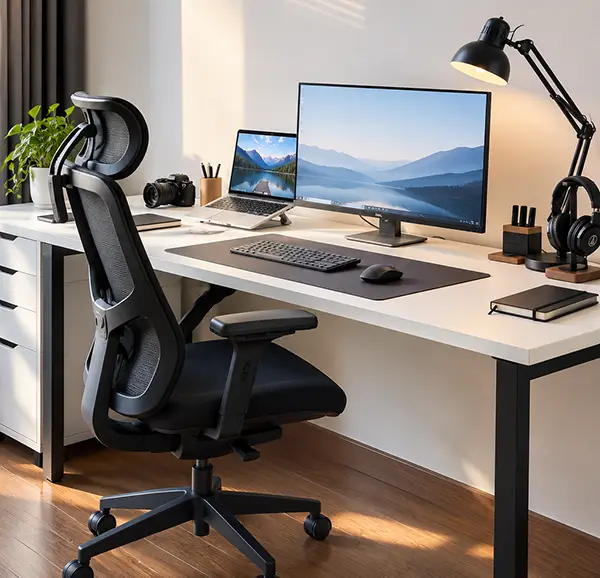
A home office setup is a specially designed area of your home converted into an office space with the necessary items for office work, like a desk or table, lamp/light stand, chair or set of chairs, computer or laptop systems, drawers/storage space, and a good internet connection.
This setup helps employees work freely from home without worrying about travelling to the office, for a better work-life balance, saving money on travel expenses, and executing the work from the safety of their home. Employers also benefit from the home office setup by saving on office operational expenses, enabling easy work, and handling emergencies from the comfort of their home at any time of the day, giving time and scope to utilize the saved time on other progressive tasks.
Essentials You Need to Build a Home Office Setup
An office setup at home requires a set of essential furniture, tools, and an internet connection to meet all the needs of the office at your home. Some essentials to build a home office setup are an office chair, a desk, proper lighting, and drawers or cabinets for storage space, background space, and computer systems such as laptops and internet connectivity.
Below is the list of all the essential items required to build a home office setup for your home.
1. Office Chair
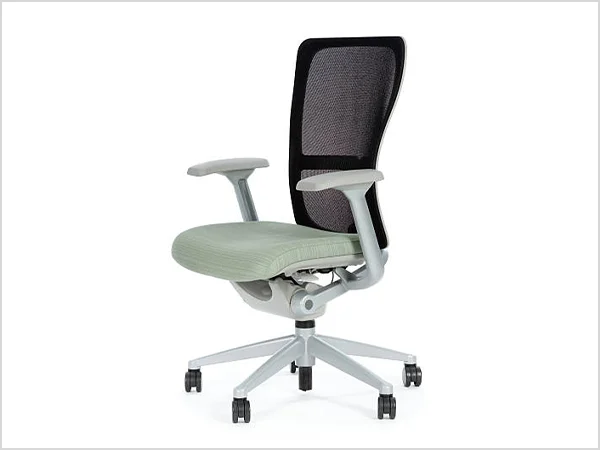
An office chair is one of the most important elements in building any office setup. Choose a desk chair that not only looks professional but also keeps you comfortable for long working hours, can turn 360 degrees, and can be adjusted according to your mood. Using stiff wooden chairs is not recommended, as their persistent use causes back strain and creates difficulty while working.
Wallinsiders Tip: An ergonomic chair is a specialized chair designed scientifically to provide the utmost comfort to the people while sitting on it. This chair has adjustable seats and armrests, which are built on the principles of human movement and prevent back pain or strain on muscles and joints during long working hours.
2. Office Desk
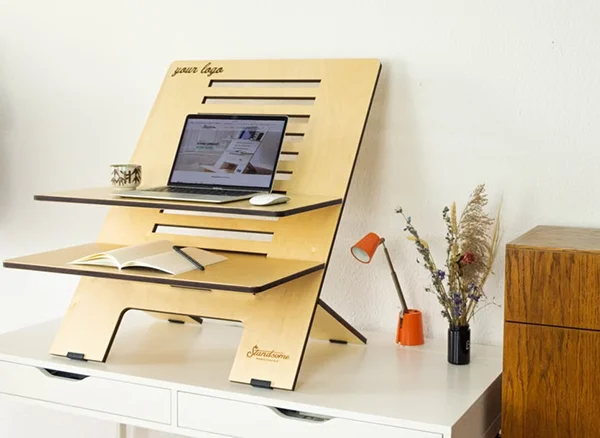
An office desk or table made of solid wood is the best option for strong support to place all the necessary and heavy items on the table. The height range for the office desk can be 24 to 26 inches for short-height people, 28 to 30 inches for average-height people, and 30 to 32 inches for tall office workers to work comfortably. A standing desk with storage cabinets is considered one of the best choices by office workers, as it can be adjusted for your sitting and standing postures.
3. Lighting
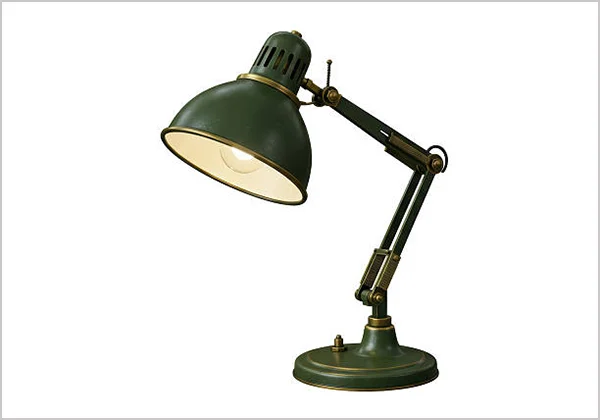
If you work during the day, working in natural light is a good choice, or a desk lamp should be used for artificial light. Task lights or LED lights can also work for a well-lit office space. If you already have enough lights in your room, then there is no need to incur the extra expense of buying lights.
4. Computer/Laptops
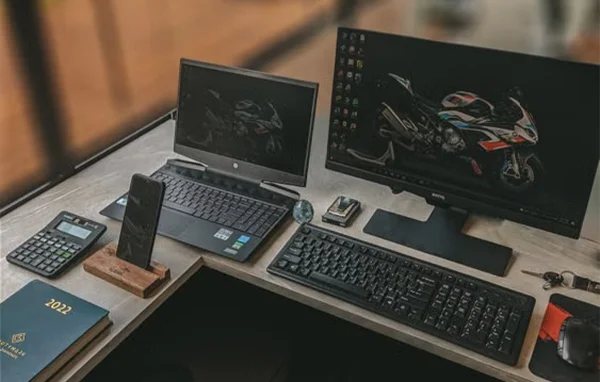
For working in your personal space, you need to have a personal laptop or computer with good memory, speed, and functionality. According to your budget, you can buy a computer or laptop to execute all office tasks and operations on these devices without hanging.
5. Internet Connection
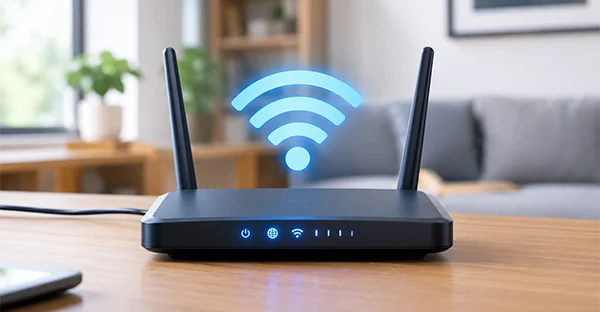
You need to have a stable Wi-Fi internet connection. For that, choose an internet plan from an internet service provider with a minimum of 100 Mbps (300 Mbps or above if you do video conferencing or multiple devices are used under a single network).
Wallinsiders Tip: Choose a Wi-Fi 6 or Wi-Fi 7 standard router, as they deliver faster speeds, manage crowded devices, and prevent lagging.
6. Cable Management Tools
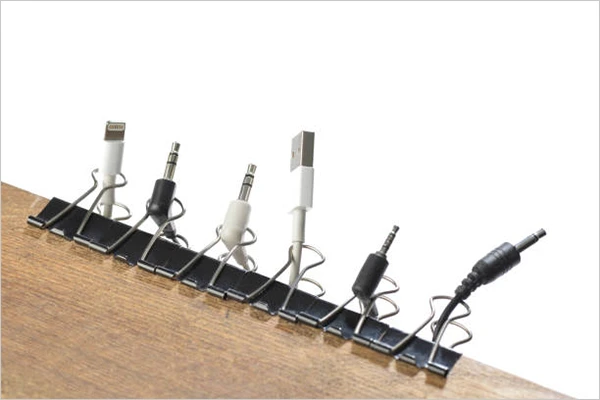
Cable management tools are small tools to manage everyday routing of cables securely. Some of the cable management tools are under-desk trays, which are containers attached under the desk to hold the necessary cables, adaptors, etc. Cable clips and organizers are holders stuck to the desk to hold the cables or wires without creating a wire mesh all over the table.
7. Stationery
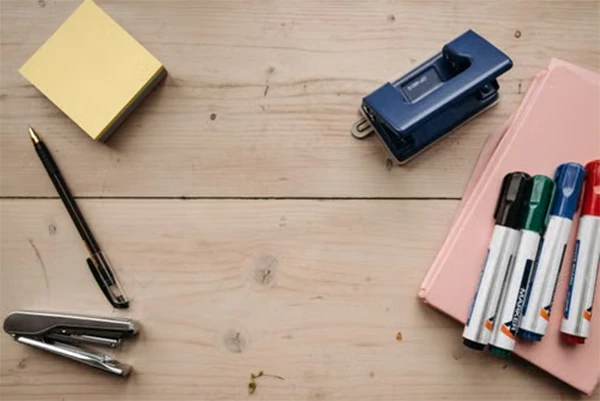
Small daily stationery items like a pen, diary, notepad, markers, highlighters, folders, sheets, small whiteboard, punching machines, staplers, adhesives, etc., are necessary to carry out small tasks such as writing meeting notes, preparing to-do lists, stapling papers, etc.
How to Set Up a Home Office? Step-by-Step Guide
Setting up a home office includes not only putting all the elements or things together in a space but also creating a functional or carefully planned designated area to satisfy an employee’s/employer’s working needs. The steps to set up a home office include analyzing your working needs, sorting a clean, soundproof, calm area, putting all the furniture and tech hardware together, setting up an internet connection, fitting lights, and decorating the office area to make it professional and work-oriented. Below are the steps to set up a home office.
1. Analyse Your Working Needs
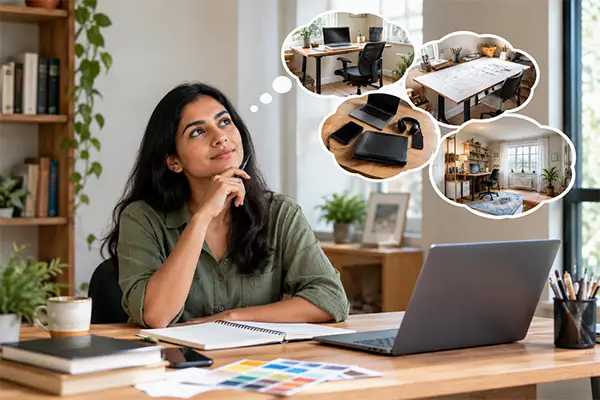
Firstly, analyze your work routine and how you want your office space to look. According to your profession, whether you are an accountant, designer, artist, or painter, see how much space you need for your work; for designers or artists, you need a lot of working area to keep large drawing sheets. Assess your working hours, routine, and tech equipment needs. Observe which space or room in your home you would like to convert to a dedicated home office setup.
2. Make a List of the Office Essentials You Need on a Budget
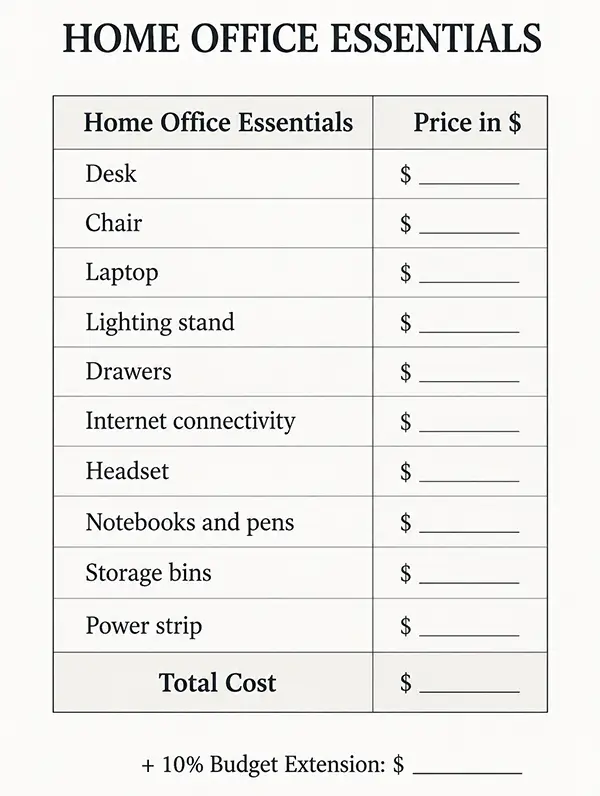
According to the space you have chosen, plan the essentials to build a home office setup, like a desk, chair, laptop, lighting stand, and drawers if needed, and internet connectivity, etc. Write the estimated price against each item/service. Keep an extra 10% weightage for the budget extension in case you need extra items. Once done with planning, then buy them all after comparing prices from multiple stores and service providers.
For example, if you are a teacher and you want a home office setup for teaching students online. Then the essentials needed for it will be the following:
- Desk and chair setup
- Laptops/Computer Systems
- Microphones
- Interactive Flat Panels (for smart board teaching)
- Headset
- Stationery
- Internet connection
- Ring lights
- Curtains for a professional teaching background
- Stationery (pens, markers, highlighters, etc.)
- Webcam to attend meetings
According to your own needs, make your own personalized list for all the essential items/services.
3. Set Up Your Home Office Essentials
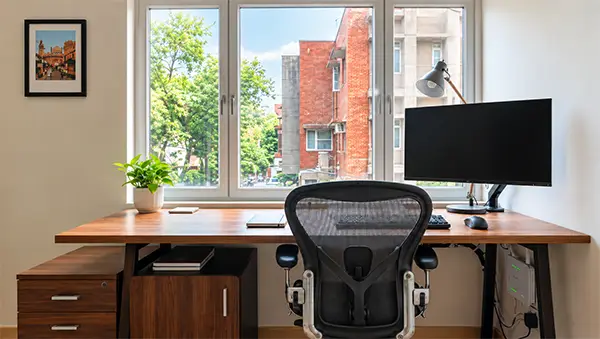
Once you get all the necessary equipment, arrange it in your space in the best way possible. If possible, make the setup near the window to work in natural light, which cuts your artificial lighting setup cost. Put the cabinets and drawers under the desk to minimize space usage. After placing the desk, first set up the computer connection and do all the wiring work needed. Call your internet service provider to set up the Wi-Fi connection and have it done before you switch on to design the office layout.
4. Design/Decorate the Setup
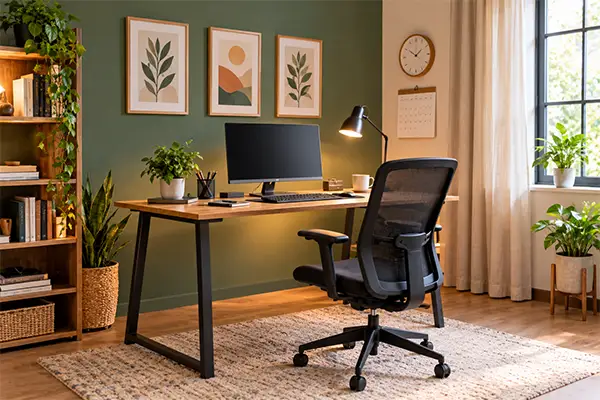
Only setting up the office space doesn’t make it look professional. To make it work-oriented, you must put in some effort. For accent walls, use soft curtains or minimalist wall prints. Use carpets or rugs under the desks, monitors, and chairs to reduce wear and tear on the furniture. Incorporate small artificial or natural plants for wholesome green and fresh vibes while working. Keep a calendar or a small clock to enhance the look.
Also read: How to Paint a Room Yourself: A Step-by-Step Guide for Beginners
How to Do the Technology Setup for a Home Office Space?
Among all the essential setups for a home office, doing the technology setup is the most difficult task to do, as it requires careful selection of electronic items and gadgets, and then their connectivity and stabilization with your systems and network should be strong enough to execute the work smoothly.
Below is the detailed description of how to do the technology setup for a home office.
1. Laptop and Monitor Setup
Choose a laptop or computer with sufficient memory, power, and display. The laptop screen size should be between 14 and 16 inches, and the monitor size should be 27 inches. Place the monitor on the laptop below eye level and about an arm’s length from your face. Use a CPU of at least an Intel i5 processor and at least 8 GB RAM, and a mechanical keyboard with low-profile keys and a wrist rest for better comfort.
Wallinsiders Tip: Instead of using a CPU, you can use a mini PC, as it is a compact all-in-one computer that contains a motherboard, processor, RAM, and storage inside a small, compact box. It takes up less storage space and is convenient to use in a small setup at home.
2. Internet Connectivity
Setting up an internet connection does require a professional, but there are certain steps that you can do on your own and can save money on it. The steps for internet connectivity for a home office setup are
- Select a worthy internet plan from your internet service provider.
- Plus, plug your wall outlet into the modem port and plug the modem into a power outlet. Wait for the lights on it to be steadily on.
- Plug the Ethernet cable into the LAN port of the modem and the other end into the WAN port of the router. Now, plug the router into the power outlet and wait for the lights to turn on.
- Place the router in a high place (specifically near the office setup) and away from thick walls.
- Open your web browser and type the router’s IP address as mentioned on the router. Log in to create your network name and a strong password.
Webcam Settings for Meetings
Webcams are necessary for meetings, conferences, or even taking lectures on computers. You should have a quality webcam with 1080p resolution to capture high-quality video. To set up a webcam, the necessary steps are:
- Place the webcam directly at your eye level to look straight into the webcam.
- Connect the webcam’s USB cable directly to the USB port of the CPU and wait for the automatic setup.
- To verify it’s working, click on the Start menu, click on the camera option, and check the webcam performance.
- Make sure to allow all the necessary cameras and other permissions for smooth functioning of the webcam on your computer.
Also read: Renovation Vs Remodel: Difference, Cost Breakdown, Permit Requirements, and More
Some Tips to Have a Clean and Professional Office Setup at Home
Setting up a home office is a work full of careful considerations and a thoughtful process of including creativity and art to enhance the look of your workspace. Some tips to have a clean and professional office setup at home are given below.
1. Personalise Your Workspace
Add a personal touch, like framed photos and paintings of your family, to get a happy vibe. Keep some plants on your table to give an aesthetic and fresh look to the table. Use some posters, print designs, or decor trends to break up the boring walls.
2. Set Up Clear Household Boundaries
When family members pop in and out of your office space, it becomes difficult to focus on work. So, keep the office slightly separated from your household’s main living and gathering areas. Give clear instructions to all the housemates not to disturb you while you’re at work.
3. Set up a Space for Documents
Make a dedicated space for all your documents to be placed inside a single drawer or cabinet so that when you need them urgently, you don’t have to roam around your house and find them in each cupboard. For multiple drawers, you can label them individually for each section or type of document.
4. SoundProof Hacks
If you live in a large family in a crowded area, then unnecessary noise can disturb your work. Use rugs or carpets under the desks and chairs to absorb the noise, and fill up the shelf space with useful items or books to reduce the echo of sound. You can also use draft stoppers or towels to close the tiny gaps under the doors, which prevents outside sound from coming in.
5. Use Air Fresheners or Diffusers
Unpleasant odors distract you from your work. So, for a good-smelling atmosphere, use good air fresheners or diffusers to fill the space with nice-smelling scents to make the working area pleasant and work-oriented.
6. Have a Power Backup
Be ready with a power backup for electricity; in case the electrical connectivity gets hampered, the inverters, home energy storage systems, or portable power stations at your home will help you to continue your office work without waiting for the power to be in operation again.
Also read: 20 + Interior Design Ideas To Motivate Every Room In Your House
Cost of Setting Up a Home Office
The average cost to set up a home office can range from $500 to $5000. For a basic setup with a table and chair, it costs around $500 to $1,500, and for a high-tech-aided setup, it can go up to $5,000.
Below is the detailed description of the cost to set up a home office, including all furniture and the essential technical connectivity.
1. Cost for the Furniture
The main furniture for a basic home office setup includes a desk, chair, computer/laptop system, lighting, and some accessories, whose average costs are given in the table below.
| Basic Home Office Setup | Cost (in $) |
| Basic Desk or TablePremium or Standing Desk | $50 to $500$400 to $1200 |
| Basic Chair Ergonomic Chair | $50 to $150$400 to $600 |
| LaptopHigh-performance Desktop/Computer | $300 to $700$600 to $1200 |
| Keyboard and Mouse | $30 to $150 |
| Desk lamp or light | $25 to $100 |
| Power Strip | $20 to $80 |
2. Cost for Internet Connectivity
A stable internet connection is needed to run the office work smoothly. The average cost for a reliable high-speed internet connection costs around $30 to $100 per month. Network speed also determines the full cost of the connectivity. A lower-speed internet connection for basic work costs less than a higher-speed connection for video conferencing tasks.
Other things include decorating items like wall paintings, table clocks, or plants, which cost around $50 to $150 for a basic home office setup.
Also read: What is an ADU (Accessory Dwelling Unit)? Benefits, How to Construct, Cost Breakdown, and More
Conclusion
Summing up! In this article, we studied how to set up a home office in one dedicated space/area of your home. To set up a home office, firstly, you must decide the area for the office setup and gather the essential furniture like a desk, chair, desktop/computer, and other office hardware. Then, set up a stable internet connection with the help of a Wi-Fi service provider and ensure good lighting using a desk lamp or natural light.
If you also want to set up a home office, you should analyse your working needs, like working hours, daily routine, and furniture needs, plan the budget, and then finally do the essential setup at your home. Remember, you don’t have to buy everything. Some things you might already have at home, so you can use them.
Frequently Asked Questions
Do I need to have a full separate room to set up a home office?
How to manage the wiring mesh on the desk or table?
You can manage the wiring mesh on the desk using cable clips/organizers or using cable holders to stick them on the table in one place without making them scatter across the whole table.
How much should the chair seat height be for the home office setup?
The chair seat height for the office setup should be 16 to 21 inches for adults, but you can adjust the chair height if you have an ergonomic chair in your home office setup.
How to make the home office area soundproof?
To make the home office area soundproof, you can close the tiny gaps in doors and windows to prevent outside noise from coming into the room. Use the fabric acoustic panels on the walls to absorb the sound.
What should be the minimum distance between the eye and the monitor to be placed on the table for a home office setup?
The minimum distance between the eyes and the monitor should be 50 to 70 cm, and the top of the screen should be slightly below eye level to avoid any strain on the neck while working on the monitor.
Related Post
Kitchen Remodel Cost in 2026: Full Cost Breakdown and Tips to Do a Kitchen…
Kitchen remodeling is one of the most crucial parts of a home renovation project. On average, remodeling costs range from…
How to Set Up a Home Office in Easy Steps for Hybrid Office Workers
Are you working in hybrid mode and finding it difficult to get a dedicated space for working from home? A…

Interior Design Styles Explained: 20+ Types, Features and How to Choose Yours (2026)
Your house should be in keeping with your own personality rather than having been furnished as if you’d gone on…
Home Theater Design: Ideas, Layout, Dimensions and Setup Guide (2026)
Creating a home theatre is about so much more than just buying a big TV and some comfortable seating. It’s…
What Is Architecture? Definition, Types, Design Process, and Careers
Imagine walking into a building where the light is playing across the walls, the staircases are literally floating (in the…
How to Choose a Paint Color for Your House Walls: A Complete Guide with…
Neutral or Warm: Which paint color to choose? Many homeowners have this thought while choosing a shade of paint for…