
Find a suitable room and take measurements. Decide on your screen, seating, sound and lighting. Once you’ve decided on your layout install your equipment.
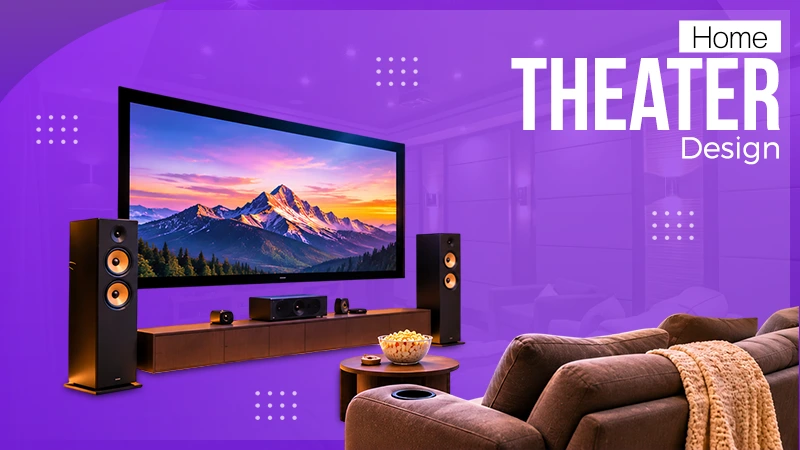
Creating a home theatre is about so much more than just buying a big TV and some comfortable seating. It’s about getting the right screen size, the right sound system, the right lighting, the right furniture and the right room layout to create a genuinely enjoyable home cinema experience.
Whether you’ve got a dedicated basement, a spare bedroom or indeed a shared living area, a bit of thought put into your home theatre design can go a long way to maximising the space you have. It’s all down to the equipment you select and the style of decoration you go for. Every aspect of the design has an effect on both comfort and performance.
In this guide, you’ll find practical layouts, room sizes, seating options, lighting options, equipment recommendations, and budgeting tips to help you plan your perfect home theatre.
Quick Answer: How to Design a Home Theater
Designing a home theater involves six simple steps:
- Pick the room: a living room, a basement, or a dedicated room.
- Set dimensions: measure the length, width, and ceiling height of the room.
- Choose a screen (TV or projector) based on room size and viewing distance.
- Plan seating: comfortable seats with good screen views and plenty of legroom.
- Treat Acoustics: get the speakers in the right position and use appropriate acoustic treatment.
- Control Light: Add dimmable lighting and blackout curtains to reduce the glare and create a truly cinematic atmosphere.
A well-thought-out home theatre will be one that strikes a balance between screen size, sound, comfort, and lighting.
Table of Contents:
- What Is a Home Theater? (Home Theater vs. Media Room vs. Entertainment Room)
- How to Design a Home Theater: Step by Step
- Home Theater Dimensions and Room Size
- Home Theater Room Ideas
- Small Home Theater Room Ideas
- Living Room Home Theater Ideas
- Home Theater Seating and Furniture Ideas
- Home Theater Lighting Ideas
- Home Theater Acoustics and Sound Design
- Home Theater Decorating Ideas
- Home Theater Setup: Equipment Checklist
- Home Theater Design Cost and Budget
- Home Theater Design Mistakes to Avoid
- DIY vs. Hiring a Home Theater Designer or Contractor
- Plan Your Home Theater with Wall Insiders
- Frequently Asked Questions (FAQPage Schema)
- Conclusion
What Is a Home Theater? (Home Theater vs. Media Room vs. Entertainment Room)
A home theatre is an entertainment area designed to replicate the cinema experience. It will usually have a TV or projector, speakers, some form of seating, controlled lighting, and the necessary equipment to play movies or games.
Dedicated Home Theater
A dedicated home theatre is a separate room essentially designed for watching films. It can contain theatre-style recliners, acoustic panels, surround sound, blackout curtains, and a big projection screen.
Media Room or Multipurpose Room
A media room is essentially a room that’s designed for entertainment and can be used for a whole host of other things as well (gaming, listening to music, hanging out with the family, etc.). It’s all about having the right kind of furniture and storage to allow it to be used in a variety of ways.
Home theater ideas for living room
A home theater living room combines the entertainment equipment with the normal furniture of the room. You’ve got a wall-mounted TV, compact speakers, a sectional sofa, and all the cables neatly hidden away.
How to Design a Home Theater: Step by Step
Step 1: Set Your Budget and Goals
Work out how you intend to use the room before buying any equipment. Your budget should cover the display, the sound system, the seating, the lighting, the installation, and any necessary renovation work.
Step 2: Choose the Right Room
Choose a room where you can control the outside light and any unwanted noise. Basements and spare rooms will often be the most flexible option, though a living room can work provided you have the right furniture to block out the distractions.
Step 3: Plan the Layout and Dimensions
Measure the room and mark out where the screen, seating, speakers, and walkways are going to be. Everyone must have a clear view of the screen and plenty of room to move.
Step 4: Pick the Screen or Projector
A TV is generally easier to install and works very well in a bright room. A projector can of course produce a much larger cinema-style image (with the right screen and good light control).
Step 5: Design the Seating
Choose your recliners, sofas, or sectionals according to the space you have available. Check the viewing distance, legroom, and seat height before you finalise the layout.
Step 6: Plan Sound and Acoustics
Choose the speakers that are appropriate for the room and position them in accordance with the manufacturer’s recommendations. A 5.1 system will be quite adequate in many instances, although larger setups can provide the additional surround and/or height effects.
Step 7: Control Lighting
Install dimmable lights and use appropriate window coverings to control glare. Keep bright fixtures well clear of the display’s reflection path.
Step 8: Finish Walls, Ceiling and Floors
Choose finishes that will complement the look of the room as well as the acoustics. Matte paint, rugs, and appropriate acoustic panels will all help to create a comfortable viewing environment
Step 9: Run Wiring and Plan Equipment Placement
Plan all the power, speaker, HDMI, and network cable runs before you finalise the install. Keep the cables accessible and ensure there’s adequate airflow around the electronics.
Home Theater Dimensions and Room Size
Room size has an impact on the display, the seating arrangement, the acoustics, and the ease of movement. The layout should be based on the actual dimensions of the room rather than on any assumptions.
Ideal Room Size and Ceiling Height
The room must have adequate depth to accommodate the viewing distance and sufficient width to allow for seats and walkways. Ceiling height is of particular importance when it comes to installing overhead speakers or raised seating.
Best Room Shape and Aspect Ratio
A rectangular room is generally the easiest to work with when it comes to setting out the display and seating. You’ll of course want to bear the acoustic characteristics of the room in mind when you’re deciding on the dimensions for a new build.
Screen Size vs. Seating Distance (chart)
Use the screen size and seating distance together when you’re working out the viewing area.
| Display size | General application |
| 55–65 inches | Smaller rooms |
| 75–85 inches | Medium and larger living spaces |
| 100 inches or more | Larger viewing areas or projector setups |
Use a viewing-distance calculator to determine the appropriate position for your selected display.
Minimum Space Per Seat and Row Spacing
Allow plenty of room for seat width, legroom, reclining movement, and walkways. Check the actual dimensions of the furniture model prior to installation.
Riser Height for Tiered Seating
Work out the height of the raised rear platform in accordance with the screen, seated eye levels, and row spacing. Allow for safe steps and sufficient headroom.
Home Theater Room Ideas
If you’re looking for home theater inspiration, then think about a style that suits your home and your viewing habits. Look at some home theater photos to compare colour schemes, seating, wall treatments and lighting before you commit to any design.
Classic Cinema Style
Use plush recliners, dark walls, carpeted floors and subtle wall sconces to create a traditional cinema feel. Movie posters can be used to add some character without cluttering the room.
Modern and Minimalist
Use clean lines, concealed cables, and practical storage. Keep the decorative elements to a minimum to achieve a clean, uncluttered look.
Luxury Home Theater
Premium seating, custom cabinets, and layered lighting. Put room performance and comfort first and then go on to the expensive bits.
Basement Home Theater
Check the moisture, the ventilation, the sound transmission, and the ceiling height before you even think about converting a basement. Those are the real issues. The first coat of paint is a non-starter in comparison.
Star Ceiling and Dark Moody Themes
Fibre optic stars and indirect LED lighting can be quite dramatic. Use adjustable brightness to avoid being distracted during viewing.
Home Theater with Bar or Lounge
If there’s space then add a small snack counter or lounge area. Keep the refreshments well clear of any electronic equipment and maintain clear walkways.
Small Home Theater Room Ideas
Good small home theater room design ideas are all about comfort, good storage, and the right proportions of equipment. You don’t need a massive room to have a great home cinema experience.
Designing a Small Dedicated Room
For small spaces, use an appropriately sized screen, some very streamlined furniture and, where possible, wall-mounted equipment. One of the more useful small home theatre room ideas is often to keep it simple rather than trying to pack in too many features.
Space-Saving Seating and Layouts
Go for the compact sofas, wall-mounted gear, and multi-functional storage. Check recliner clearance before buying.
Projector vs. TV in Small Rooms
A TV is often the easier install in a small room. A short-throw projector can work if you can meet its requirements in terms of placement and lighting.
Making a Small Room Feel Bigger
Reduce the clutter, go for coordinated colours, and use furniture with a small footprint. Keep the floor area as open as possible.
Living Room Home Theater Ideas
The best home theatre ideas for a living room are ones that strike a balance between watching films and the everyday comfort of the living room. A good home theatre layout for the living room will integrate the entertainment equipment so that it doesn’t feel like it’s bolted in somewhere as a separate entity.
Blending a Theater with Living Space
Coordinate the display, the sofa, and the lighting with the existing interior. Select equipment that works well without being the dominant feature of the room.
Hidden Screens, Retractable Projectors and Media Walls
Concealed cabinets and retractable screens can of course keep the equipment out of sight. You’ll need to check the ventilation, cable access, and mounting requirements prior to attempting to hide the gear.
Furniture Layouts That Work for Both Uses
These living room home theatre ideas include sectional sofas, movable side tables, swivel chairs and a compact media console. The furniture should be chosen to support the day-to-day activities of the household as well as the viewing of films.
Media Room and Home Entertainment Design Ideas
Flexible home entertainment room ideas can bring the whole of home entertainment together in one room (movies, gaming, music, and socialising).
Game Room and Media Room Combos
Include a display, consoles, and some practical storage. Keep the controllers and cables all neatly organised so switching between activities is as easy as possible.
Family-Friendly Media Rooms
Use durable fabrics, easy-to-clean finishes, and storage for accessories. Flexible furniture is the way to go to cope with family and guests.
Basement and Bonus Room Ideas
Divide the room into entertainment zones using lighting and furniture. This approach helps organize larger spaces without unnecessary construction.
Home Theater Seating and Furniture Ideas
Browse home theater furniture ideas, including cozy recliners, large sectionals, small sofas, cup-holder chairs, and seating and storage options that don’t compromise comfort for space.
Recliners vs. Sofas vs. Sectionals
The comfort of the recliner and the practicality of the sofa or sectional. Looking at size, support, and fabric before making a purchase.
Tiered Seating and Sightlines
Only use raised seating when visibility and clearance allow. Design the platform and access steps accordingly.
Side Tables, Cup Holders and Storage
Side tables, cup holders, and storage: Keep your stuff close, but don’t impede the aisles or speaker placements.
Home Theater Lighting Ideas
Ambient and Dimmable Lighting
Variable lights facilitate the switch from watching a movie to everyday use. Dimming the fixtures tones down excessive lights surrounding the screen.
Sconces, Cove Lighting and Fiber Optic Star Ceilings
Wall sconces, hidden LEDs, and fiber optic ceilings create atmosphere. Select lighting that enhances the room while eliminating reflections.
TV Backlighting and Bias Lighting
A light behind the television eliminates eye strain when viewing in a dark room. Avoid glare-producing bright lights.
Light Control: Blackout Curtains and Window Treatments
Blackout curtains and blinds are used for controlling daylight and glare. A projector can be seen very well if there is a room blackout.
Home Theater Acoustics and Sound Design
Speaker Layouts (5.1, 7.1, Dolby Atmos)
The 5.1 system has five primary channels plus a subwoofer channel. A 7.1 system will have surround sound channels, and Dolby Atmos can add height channels if you have speakers that support it.
Choose the suitable system for the room and place each speaker where specified.
Acoustic Panels, Bass Traps and Soundproofing
Reflections are handled by acoustic panels. If the problem is deep bass, bass traps can be used. If there’s noise between rooms, soundproofing can be implemented; this often entails altering the structure of the room.
Best Wall, Ceiling and Floor Materials
Use rugs, carpets, and appropriate acoustic panels to help improve the sound behavior of the room. Choose the materials based on their performance, robustness, and safety.
Home Theater Decorating Ideas
Color Palettes (dark vs. neutral)
Deep matte hues are appropriate for exclusive viewing rooms. You should select the finish that fits the lighting.
Wall Treatments, Fabric Panels and Theater Decor
Fabric panels and wall finishes can bring additional texture and have acoustic properties if designed correctly.
Movie Posters, Marquee Signs and Accessories
Best Home Movie Theater Decor ideas for home include posters, themed art, understated LED signs, and display shelves. Be sure to avoid covering your speakers and watch around your sightlines.
More home movie theatre decorating ideas include themed wall lighting sconces, matching pillows, coordinated throw rugs, and a small corner display with collectibles. Choose a theme rather than a mishmash of styles.
Carpet, Flooring and Rugs
CARPET provides comfort and some sound absorption. Rugs can reduce reflections if placed on the hard floor.
Home Theater Setup: Equipment Checklist
Before you order equipment, make a list of the required components and check that the pieces fit and work together.
TV vs. Projector vs. Screen Types
Opt for a TV when installation is simple or select a projector for a bigger image when space permits. Fixed and motorised screens can be wall-mounted or suspended from the ceiling.
AV Receiver, Speakers and Subwoofer
Verify that the receiver has the features you need and will accept your speakers. Choose equipment appropriate for the room and your budget.
Streaming, Media Players and Consoles
Plan the devices needed and check the need for connectivity, resolution, and network.
Wiring, Cable Management and Smart Controls
Label and time lights and attach cables. Suitable smart controls can help in easy handling of lighting and entertainment systems.
Home Theater Design Cost and Budget
Budget, Mid-Range and Luxury Cost Tiers (table)
| Tier | General scope |
| Budget | Existing room, TV, basic speakers, and practical seating |
| Mid-range | Larger display, surround sound, and upgraded finishes |
| Luxury | Custom construction, premium equipment, and specialized treatments |
Pricing depends on the location, room condition, and product selection. Use local estimates for precise planning.
Where to Spend and Where to Save
Spending money on equipment, seating, and preparing the room will make a difference. Saving money can be done by using items you already have and upgrading them slowly.
Cost of Building a Dedicated Room (framing, drywall, electrical)
Framing, drywall, electrical, insulation, ventilation, and wiring. Find out how much each item costs individually, including installation and any acoustic treatments.
Home Theater Design Mistakes to Avoid
Wrong Screen Size or Seating Distance
Always measure your room to get the correct screen. Choosing the wrong screen size for your TV or projector can cause discomfort or reduce the immersive experience.
Ignoring Acoustics and Light Leaks
Incorrect loudspeaker positioning, poor room colour due to reflections, and uncontrolled light will affect your experience. Be mindful of this when designing your room.
Skipping Wiring Plans
Incorrect wiring can cause a messy look. It’s worth planning where all the wiring and equipment will go before finishing your room.
DIY vs. Hiring a Home Theater Designer or Contractor
When DIY Works
Basic furniture layout, equipment, and cabling can all be completed safely as DIY.
When to Hire a Professional
A professional will be needed for a more advanced speaker system, projector installation, building, and soundproofing.
What a Design-Build Team Delivers
A design & build team can help with the layout, building, finish, and equipment. Ask for a scope of work, time frame, quote, and references.
Plan Your Home Theater with Wall Insiders
Wall Insiders can help give you ideas on what can be done with your home entertainment room. Let us know how big your room is, what style you want, and your budget for the project so we can give you some great ideas.
Go to the portfolio page and contact us for a quote to suit your needs.
CTA: Explore Our Portfolio | Request a Quote
Frequently Asked Questions (FAQPage Schema)
How do I design a home theater?
What is the best size for a home theater room?
This will depend on how many people you’re seating, screen size, equipment, and space you have. Ensure everyone can comfortably view, and there are clear pathways.
What are the best home theater dimensions?
Your room should be big enough to allow everyone to view, sit comfortably, have speakers and move around. Take measurements before choosing equipment or building platforms.
How do I set up a home theater?
Install your display, seating, speakers and wiring. Calibrate your display and sound.
How do I design a small home theater room?
Use small furniture, a suitable screen, and storage. Reduce glare and keep the layout simple.
What is the difference between a home theater and a media room?
A home theater is for watching movies. A media room can be used for a variety of entertainment such as gaming.
What color should a home theater be?
Dark matte colours can help reduce reflections in a dedicated theater. Neutral colours can be useful if the room will also be used as a living room.
How much does it cost to build a home theater?
It will depend on how much you spend on building, equipment, furniture and acoustic treatments. Get local quotes depending on the scope of work.
Can I make a home theater in my living room?
Yes! With a TV, suitable speakers, comfortable seating and controlled lighting you can have a functional home theater.
How far should seating be from the screen?
This will depend on your screen size, resolution and viewing angle. Refer to manufactures guidelines.
Conclusion
You don’t need advanced equipment or a large room to create a great home theater. Taking your measurements carefully, having the right seating, sound balance and controlled lighting can make a big difference.
Start with the basics, ensure your equipment fits your space and think about future upgrades. With a practical plan you can create a comfortable, stylish entertainment room.
Related Post
Kitchen Remodel Cost in 2026: Full Cost Breakdown and Tips to Do a Kitchen…
Kitchen remodeling is one of the most crucial parts of a home renovation project. On average, remodeling costs range from…
How to Set Up a Home Office in Easy Steps for Hybrid Office Workers
Are you working in hybrid mode and finding it difficult to get a dedicated space for working from home? A…
Interior Design Styles Explained: 20+ Types, Features and How to Choose Yours (2026)
Your house should be in keeping with your own personality rather than having been furnished as if you’d gone on…
Home Theater Design: Ideas, Layout, Dimensions and Setup Guide (2026)
Creating a home theatre is about so much more than just buying a big TV and some comfortable seating. It’s…
What Is Architecture? Definition, Types, Design Process, and Careers
Imagine walking into a building where the light is playing across the walls, the staircases are literally floating (in the…
How to Choose a Paint Color for Your House Walls: A Complete Guide with…
Neutral or Warm: Which paint color to choose? Many homeowners have this thought while choosing a shade of paint for…